
I paid, but it asks me to pay again. What should I do?
Check that your payment went through, and that you are signed in to the account you paid with.
This usually happens for one of two reasons: the payment was declined, or you are signed in to a different account from the one you paid with.
Check that your payment was successful. Payments are often declined, and a declined payment does not go through.
Make sure you are signed in with the same account you paid with.
Check your payment
- Sign in with the same account (email address) you used when you paid.
- Open the account menu, choose Billing, and scroll down to Invoices. A successful payment is listed as Paid.
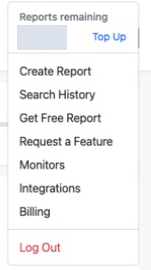
Open the account menu in the top-right corner and choose Billing. The credit balance is hidden. View full sizeCaptured 22 September 2026. 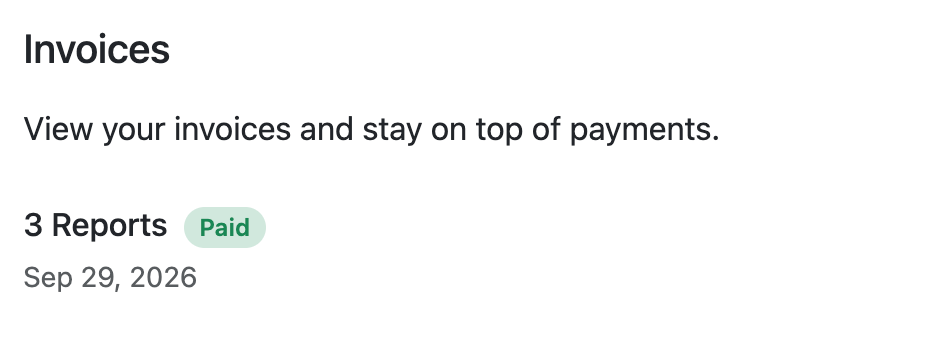
A successful payment is listed under Invoices as Paid. View full sizeCaptured 29 September 2026. - For more detail, select Manage Billing at the top of the Billing page. Under Invoice history, a successful payment shows Success.
- If you cannot find a successful payment, it was probably declined. Check with your bank, or try again with another card.
- If the payment was successful but you are still asked to pay, do not pay again. Contact support with your Order ID, which you can find in the email we sent when you paid.
References: WhiteBridge customer support
Reviewed 29 September 2026