
How can I get the most from my report?
Choose a clear photo, a primary email, or an informative social profile.
Give WhiteBridge clear, relevant information about the person you want to search. Use the tips below for the input you choose, then check that any matching profile belongs to the right person.
Before you generate a report
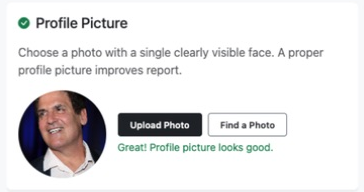
- Upload a clear photo of the person’s face. Choose an image with just that person in it. Their face should be clearly visible, without glasses, a mask, or anything else covering it.
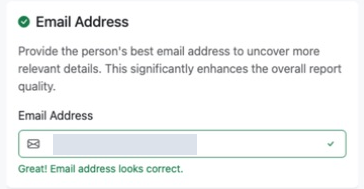
- Use their primary email address. Choose the address the person uses most often. A personal email is the best starting point; a work email can also work.
- Choose their most informative social profile. Use the profile with the most information about the person. This gives WhiteBridge more context to help find their other accounts.
- Confirm you have the right person. Check names, email addresses, and profile links for mistakes. If matching profiles are shown, compare any available photo, location, employer, or job title before continuing.
When should I contact support?
If you have followed these tips and supplied plenty of relevant information, contact support when:
- The report still misses obvious public information, such as information you can easily find in a Google search.
- The report contains incorrect information or is about a different person.
- The report quality remains poor despite improving your search inputs.
Contact support before rerunning the search or paying for another report. Include your report link, explain what is missing or wrong, and add links to the relevant public sources so the team can review the issue.
Review your results
Check the original sources and their dates. AI-generated interpretations need review, and available public information varies from person to person. These tips help you prepare your search; they do not guarantee a complete or error-free report.
Start a search